Trim Video the Smart Way: How AI Cuts Out All the Fluff
A regular auto-trimmer only sees silence. Smart trimming in Reelora reads the transcript and removes what actually drags your video down: duplicates, repeats, stumbles and filler. Below — how it works, who benefits most and what to check afterwards.
How smart trimming differs from cutting silence
When you need to trim a video, most tools only look at the audio track: silence — cut. That way you can remove pauses, but the main problem with long recordings isn't the pauses, it's the words. A speaker can talk without a single second of silence — and still repeat the same thought three times, stumble and circle around the point.
Smart trimming works one level deeper. The AI builds a transcript — a text version of your speech — and analyzes it like an experienced editor: where you got carried away, where you came back to something already said, where you restarted a sentence. It's these fragments that end up in the trim plan, not just stretches of silence.
- full duplicates — when one block is said twice in almost the same words;
- repeats — when a thought spins in place and doesn't move the story forward;
- stumbles and restarts — "so anyway…", "basically…", starting a phrase over;
- filler — long intros, digressions and words with no substance;
- pauses — we remove those too, unless they're needed for rhythm.
How the AI decides what to cut
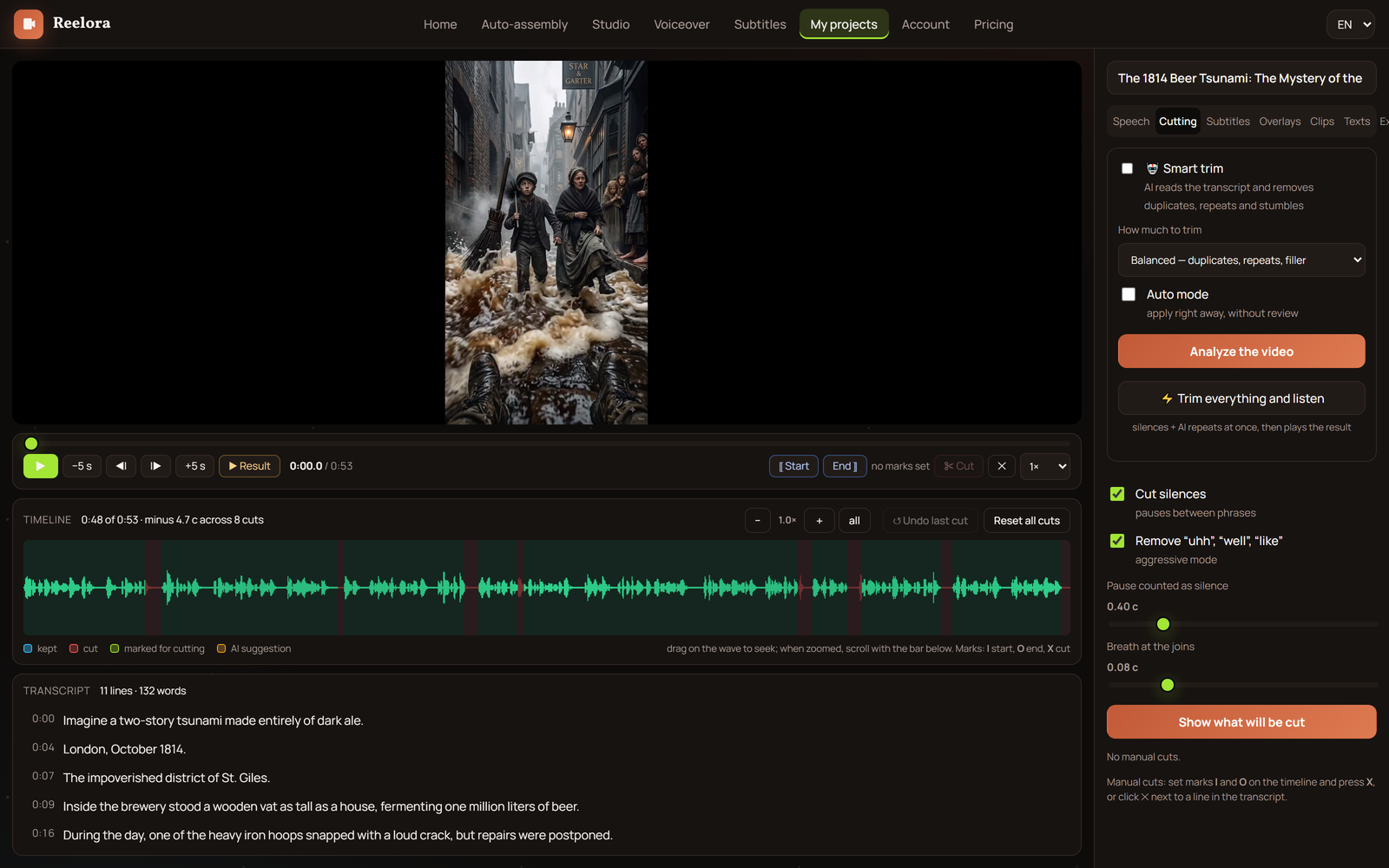
First, the recording is transcribed into text — you get a transcript of your own words. Then the model reads it like an editor: looking for meaningful repeats, assessing information density, catching broken-off sentences. Each candidate for removal gets a mark on the timeline tied to a specific spot in the text.
You don't see a black box but a clear plan: which fragment, how long it runs and why it's unnecessary. Disagree? Reject the edit or adjust it by hand. Auto-editing in Reelora is an assistant, not a dictator: the final call is always yours. How this fits into the overall editing pipeline — in our guide to AI editing.
Who saves the most time with smart trimming
Podcasts
An hour-long conversation compresses into a dynamic episode: no repeated thoughts, long "umms" or tangents. Guests don't have to re-record anything — the finished recording simply gets cleaned up.
Lessons and courses
Teachers often explain the same thing several different ways. The AI keeps the clearest version of the explanation, and the lesson gets shorter without losing substance.
Interviews
Long answers with off-topic detours get trimmed while the logic of the conversation stays intact. Works great alongside automatic subtitles.
Screen recordings and demos
Minutes spent hunting for the right menu, extra clicks and wrong moves get cut along with the accompanying chatter. What's left is a clean demo that gets straight to the point.
Webinars and meetings
Waiting for participants, technical delays and housekeeping announcements won't make it into the public version — only the substance remains.
How to trim a video in Reelora: step by step
Upload your recording
Add your video to a project: a podcast, lesson, interview or screen recording. Any footage with speech will work.
Get the transcript
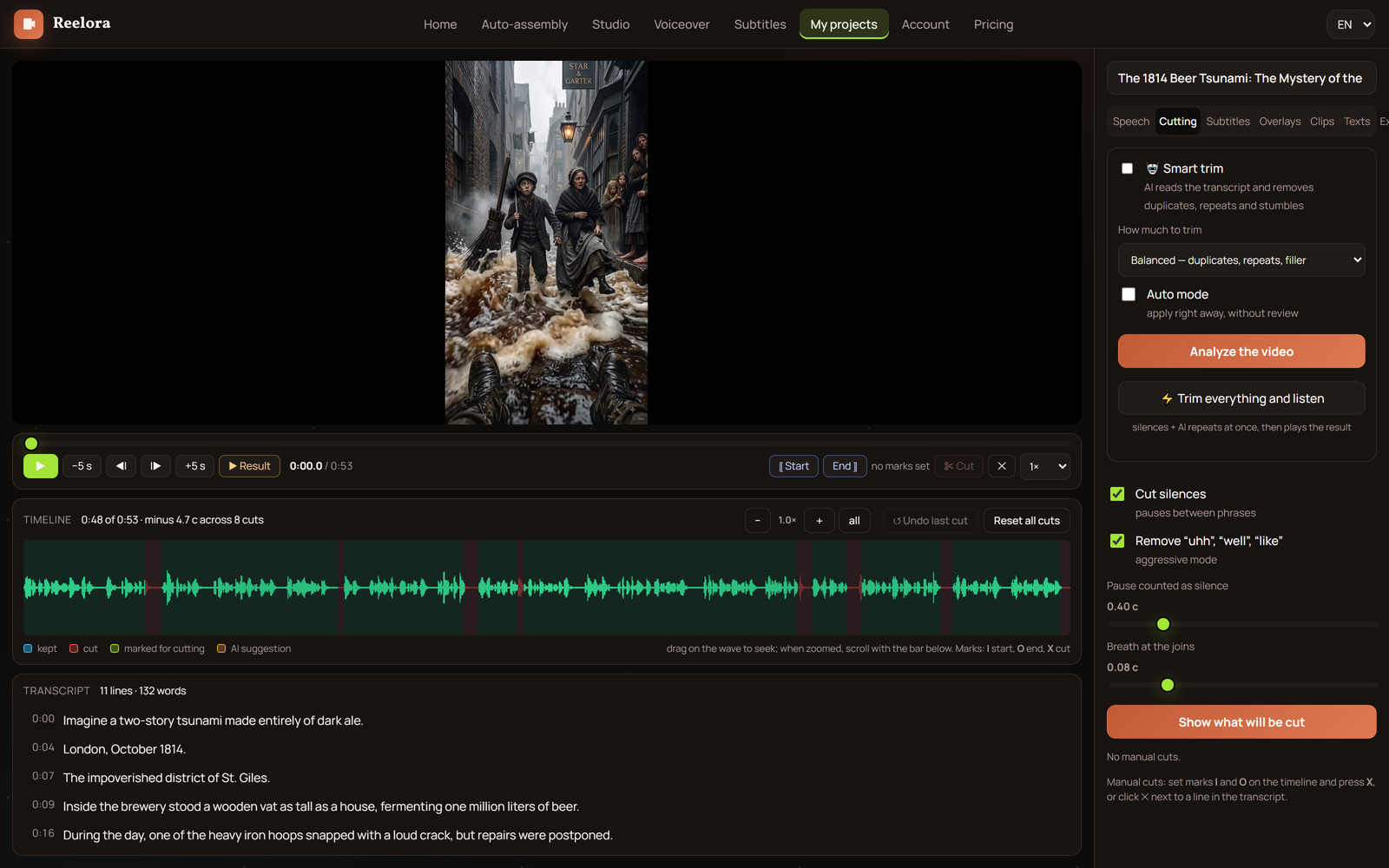
Reelora recognizes the speech and builds a text version of the recording. That's what becomes the basis for finding what's unnecessary.
Review the trim plan
The AI will flag duplicates, repeats, stumbles and filler. Hover over a fragment to see it in both the text and the timeline at once.
Accept or reject edits
Approve all suggestions with a single decision or go through the list and keep what you want. You can add your own cuts manually too.
Apply and review
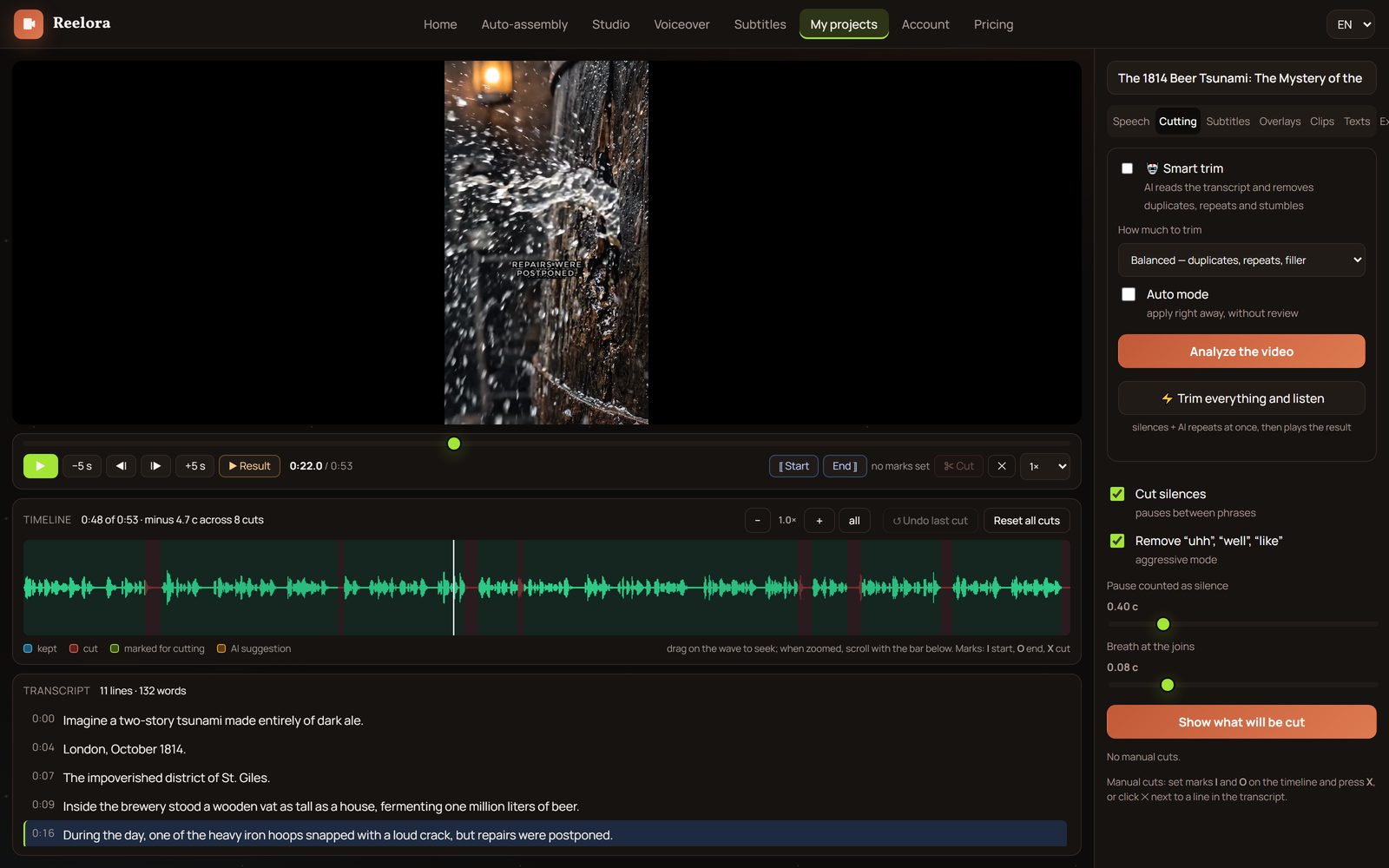
Auto-editing assembles the video without the unnecessary fragments, keeping transitions and rhythm intact. Be sure to watch the result before finalizing.
Polish the details
Turn on automatic subtitles, swap individual shots for your own or add generated b-roll — then assemble the final version.
What to check after trimming — and what comes next
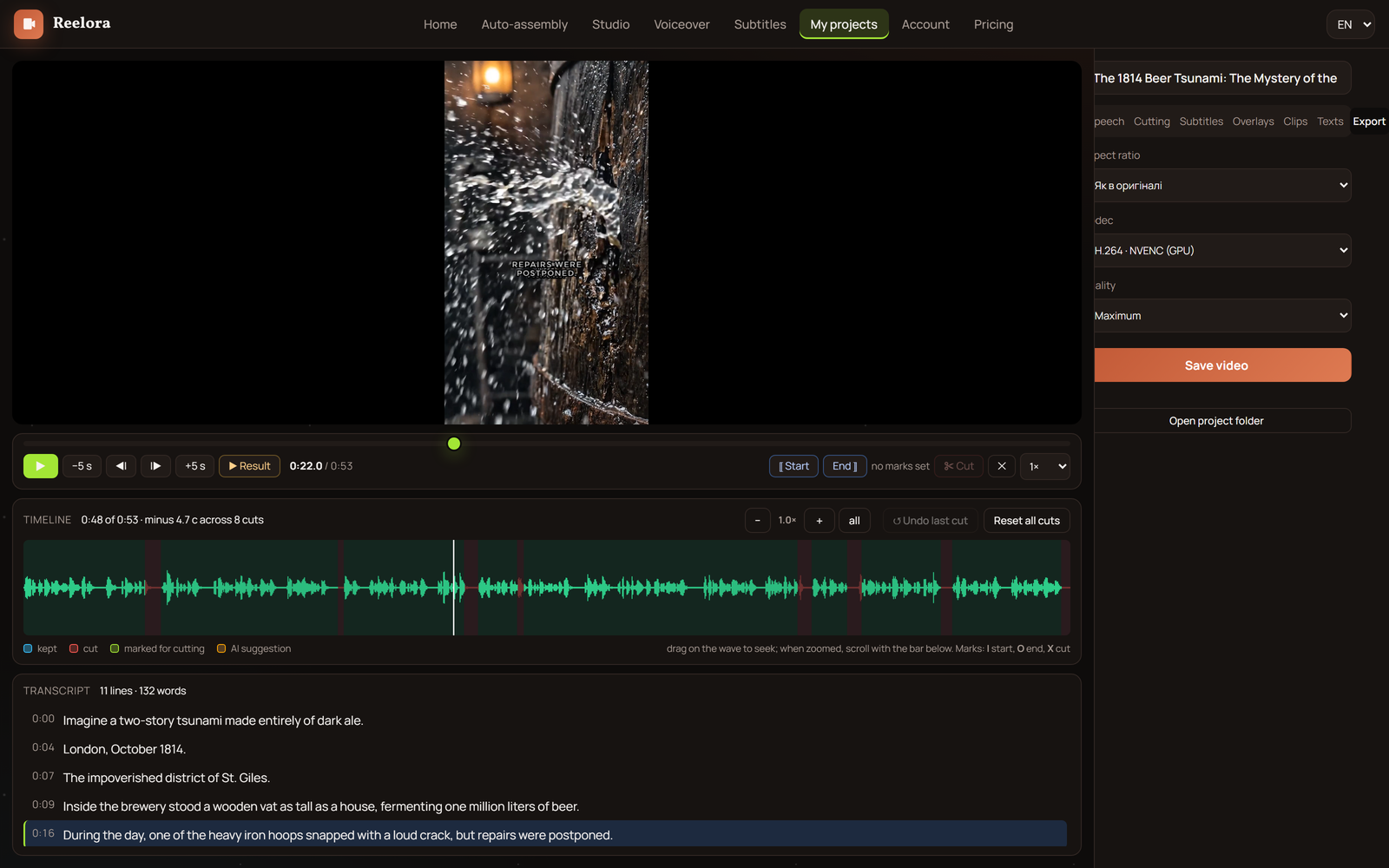
The AI reads text well, but the final quality is worth checking yourself. First — rhythm: after big cuts, the seams can produce a jarring visual jump. If a shot "teleports", add a short transition or some b-roll.
Second — logic. Make sure that after removing a fragment, the next phrase doesn't read like an answer to a question that no longer exists. This happens when the question was cut but the answer stayed. Third — sound and gestures: listen to the seams with headphones and check whether the speaker's hands "jump" between cuts.
- watch the whole video at normal speed at least once;
- double-check subtitle timings if they're already baked into the video;
- look closely at the first few seconds — they decide whether viewers stay.
Questions about smart trimming
Is trimming a video just about cutting silence?
No. Silence is only part of the job. The main decisions are made based on the transcript: the AI removes duplicates, repeated thoughts, stumbles and filler. Pauses disappear too, but as a side effect rather than the core function.
Won't trimming ruin the rhythm of my video?
No, if you check the seams. Auto-editing preserves transitions, but after big cuts it's worth reviewing the splice points and adding a transition or b-roll if needed.
Which recordings work best?
Ones with plenty of speech: podcasts, lessons, interviews, webinars, screen recordings with commentary. The more speech in the recording, the more precisely the AI spots what's unnecessary.
Could I accidentally lose an important fragment?
No fragment disappears without your confirmation. You first see the full trim plan, and you're the one who applies it — all at once or selectively, rejecting any questionable edits.
What about recordings without speech?
The core logic is built on the transcript, so music or pure gameplay without words is hard to trim this way. For such material, manual editing is more reliable — smart trimming was built for talking formats.
Can I add generated inserts after trimming?
Yes. You can drop b-roll onto the seams, generate new scenes, overlay graphics or replace shots with your own — all within a single project.
How much time does this actually save?
Instead of hours of manual listening, you review a ready-made edit plan and approve it. The biggest win is on long recordings: the longer the source, the more unnecessary stuff turns up in it.
See also
Cut your recording down to the point
Upload your video to Reelora, look over the trim plan and put together a tight video without an editor. You only pay for what's actually generated.
Open the studio