Generation queue: up to 500 prompts in one run
Queue up to 500 prompts and shut down your computer — Reelora will finish the job on its servers, with results waiting in your project. Here's who needs it most and how to prep a batch of prompts.
How bulk video generation works in Reelora
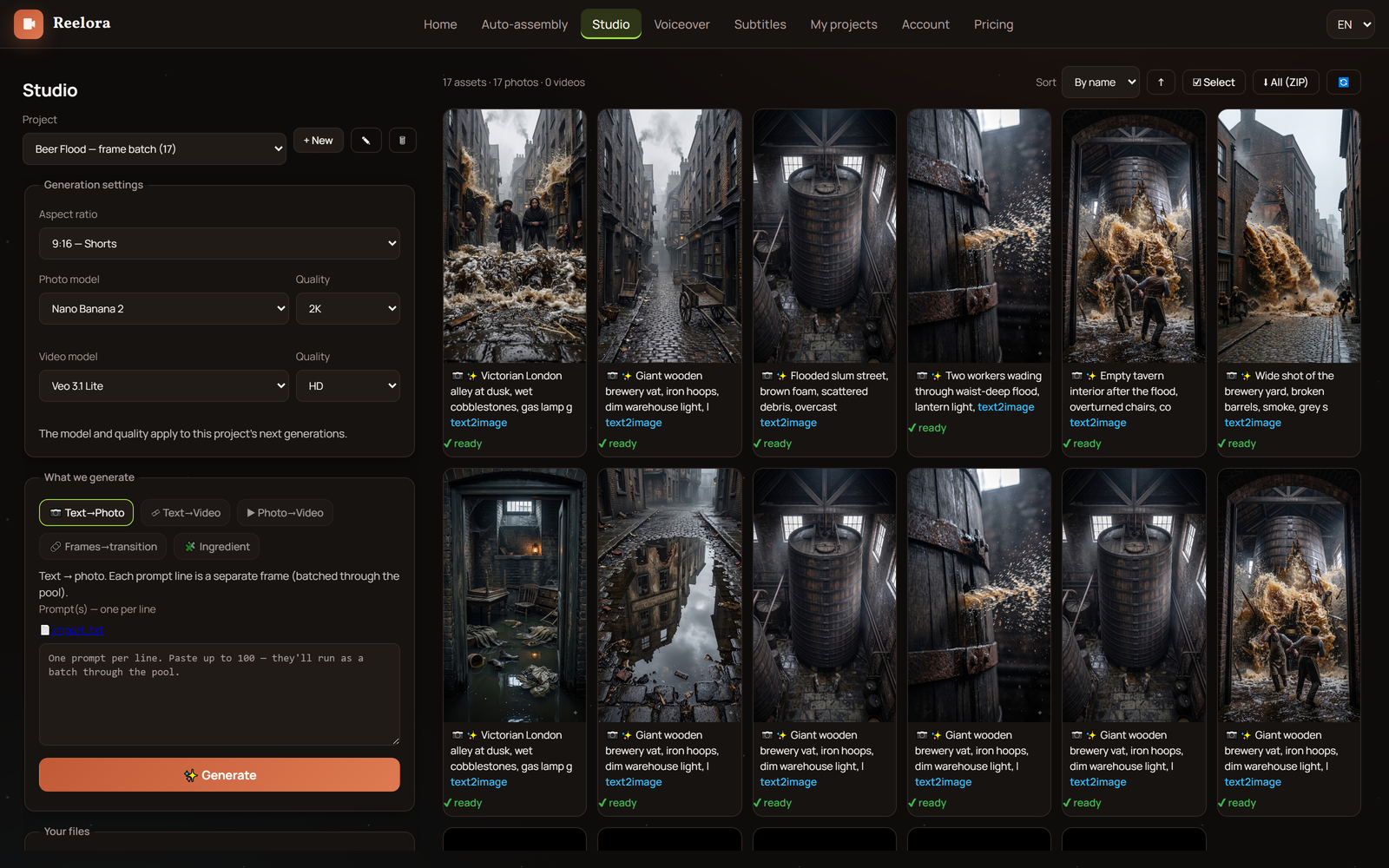
The logic is simple: instead of generating scenes one by one and staring at the screen, you build a list of prompts and launch them all together. A single queue holds up to 500 prompts — enough for a whole series of videos or a dozen variations of one shot.
Once launched, the generation queue runs on Reelora's servers, not on your computer. Close the tab, shut down your laptop, go do other things — nothing gets interrupted or lost.
When the servers are done, the results simply wait for you in your project. Drop in whenever it's convenient, review the finished shots, and decide what goes into the edit and what needs a re-run.
- One queue holds up to 500 prompts: from short scenes to full series
- Generation runs on our servers, so your computer stays free
- Results are saved in your project and wait until you're ready
Who needs bulk video generation most
For agencies
Multiple clients and dozens of videos per month: the queue lets you run variants for all projects in an evening and keep quality consistent without growing the team. More on workflows in our guide for agencies.
For series creators
Faceless channels live on consistency. One framework, many episodes: swap out the topic and details in your prompts while style and structure stay untouched.
For variant testing
Not sure which angle or mood works best? Queue ten versions of the same shot and compare the finished results right in your project.
For editors and creators
Already have some footage shot? Generate the missing scenes in a batch and drop in your own clips where you have them — generated ones will blend seamlessly with what you filmed.
How to run batch generation: step by step
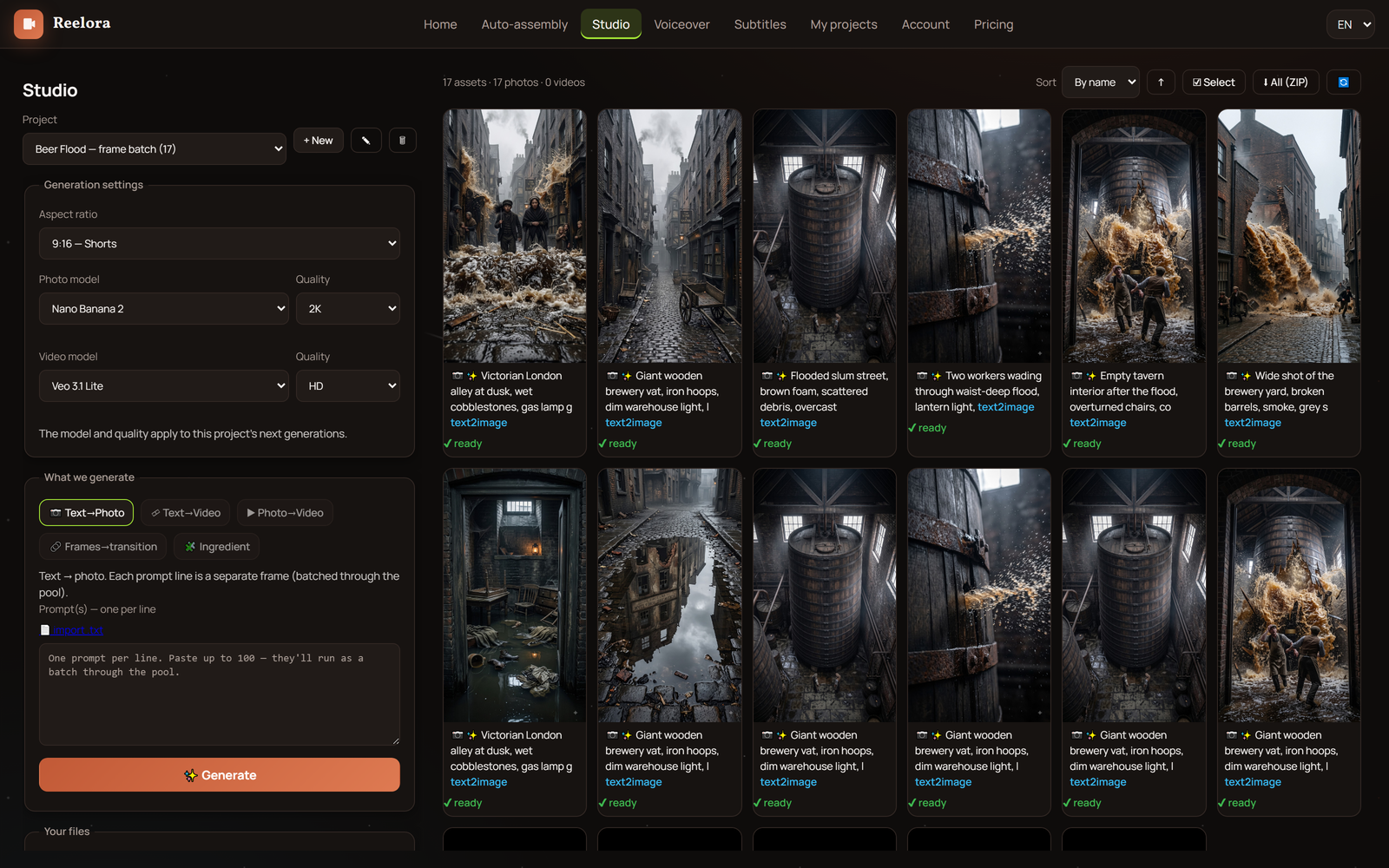
Build your prompt list
Write out the scenes you need: one prompt per shot. For a series, use a shared description template and change only the story part.
Pick a model
Veo 3 for video, Nano Banana or Nano Banana 2 Pro for images. You choose the model yourself in the interface before starting.
Fill the queue
Add all tasks to batch generation — up to 500 prompts at once. If the shots should look like one series, describe the style identically in every line.
Launch and shut down your computer
Generation runs on Reelora's servers, so your hardware isn't needed anymore. Close the tab and get on with your day.
Come back to your results
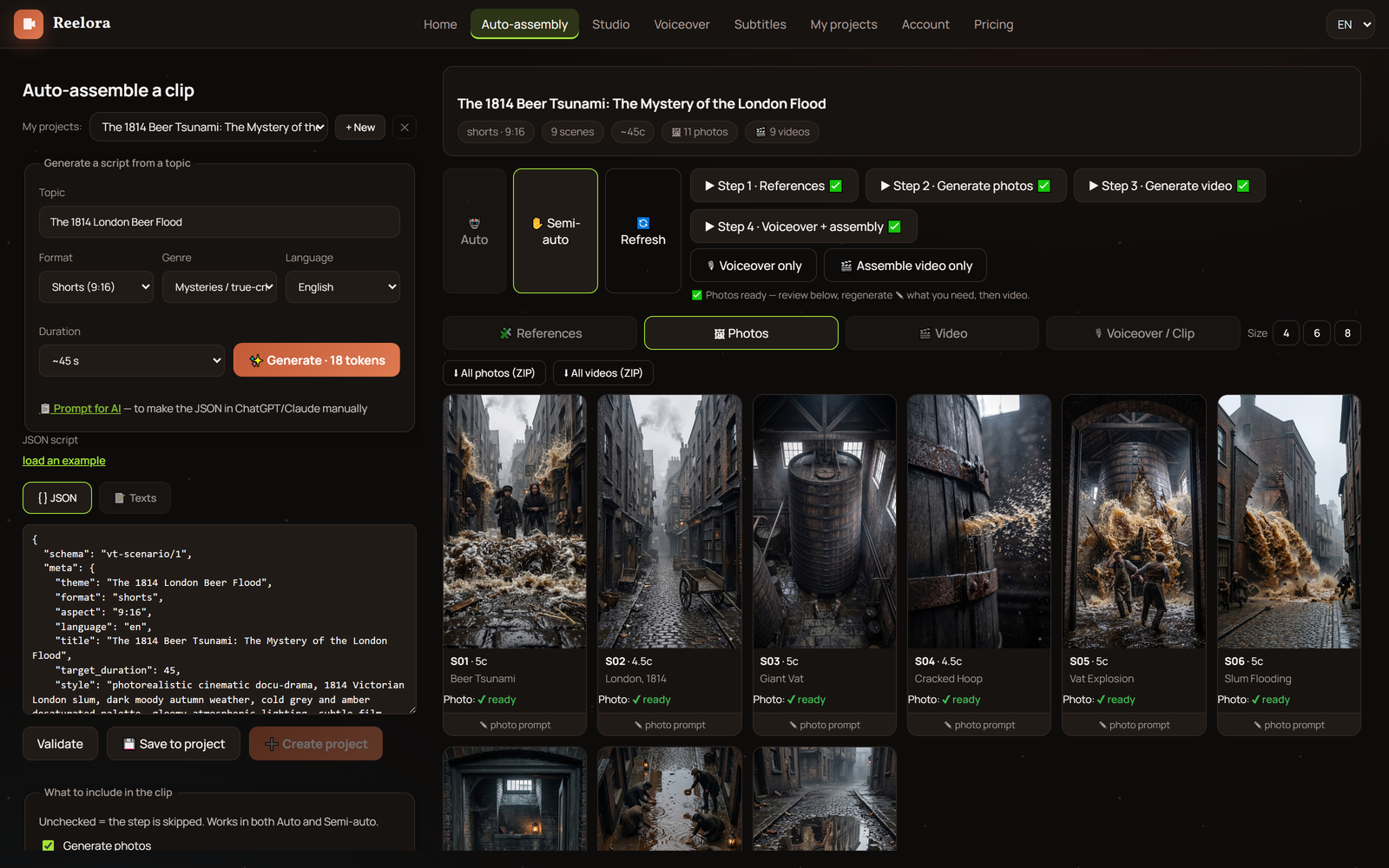
Finished shots will be waiting in your project. Review everything, mark the good takes, and send weak ones off for a separate re-generation.
Assemble the video
Sync the good shots with voiceover and subtitles, replace any of them with your own footage if needed — and start editing.
How to write a batch of prompts
Batch generation rewards preparation: the more precise your prompts, the fewer takes you'll need to re-generate. The main rule — one prompt describes one scene. Don't try to squeeze three camera angles and a location change into a single line.
Second rule — a shared descriptive frame. If you're generating a series, write style, lighting, and camera in the same words in every prompt, changing only the story part. That way the shots will look like one film, not a random cut-up.
Third rule — specifics over generalities. Not "a beautiful landscape," but "a mountain lake at dawn, light mist over the water, the camera slowly flying forward." The more vividly you can picture the image, the more predictable the result.
Ready-made formulas and scene examples are in our video prompt guide, and the basic principles of writing descriptions are covered in the prompt handbook.
How to pick the good takes
Make the first pass quick: skim everything generated and sort into three groups — definitely yes, maybe, definitely no. Grab the obviously strong shots first and don't waste time polishing the mediocre ones.
The second pass is careful. Look at the good takes against the voiceover and rhythm of the future video: does the pace fit, is each scene clear without explanation. Automatic editing helps here — it syncs shots to the voiceover and keeps the rhythm.
Failed shots? Just re-generate them: any single one can be replaced without touching the rest of the video. If a scene simply won't generate well, drop in your own photo or video instead, and bring a static frame the AI can't crack to life with effects and overlays.
One more thing: if you're just starting to explore AI video for your projects, begin with our AI video generator overview — and the queue will help you scale whatever already works.
Questions about batch generation
How many prompts can I queue at once?
Up to 500 prompts in a single batch run. The queue is processed on Reelora's servers, so batch size doesn't depend on your computer's power.
Can I turn off my computer during generation?
Yes. Generation runs on Reelora's servers, not in your browser. Close the tab or shut down your device entirely — the results will still be waiting in your project.
Where do I find the finished results?
In your project. Once the generation queue finishes, all the shots will be there — ready to view, select, and edit right away.
What if most of my takes came out badly?
First check your wording: often the culprit is a vague scene description. Then re-generate the failed shots individually — no need to restart the whole batch.
Can I mix generated shots with my own footage?
Yes. At any point, add your own photos or videos in place of generated ones. This is especially handy when part of your footage is already shot.
Which models are available for batch generation?
Veo 3 for video, Nano Banana and Nano Banana 2 Pro for images, ElevenLabs voices for narration. You pick the model yourself in the interface.
How much does bulk video generation cost?
Reelora works on a pay-as-you-go model: you only pay for what's actually generated. Prices are among the lowest on the market; see the site for current rates.
How is batch generation different from long-video mode?
In long-video mode, the AI builds the script framework from prompts itself, and you trigger generation with a button or step by step. Batch generation is your own hand-built list of prompts. The two modes work great together: the framework gives structure, the queue gives scale.
See also
Run your first queue
Put together a batch of prompts, queue it up, and shut down your computer — Reelora will finish the job on its servers, and the results will be waiting in your project. You only pay for what's actually generated.
Start generating