Reelora AI Video Studio: a complete pipeline from topic to finished video
Reelora is an online studio where a finished video is born from a text description: shots, voiceover, subtitles and editing. Not just another short clip, but a full AI video you can publish right away.
- Why a studio, not just an AI video generator
- What goes into a finished video
- A skeleton that works outside the studio too
- What exactly you control
- Models matched to the task
- Pipeline: from topic to finished file
- Batches of 500 prompts and working without your computer
- Your own footage instead of generated clips
- Frequently asked questions
Why a studio, not just an AI video generator
Most services calling themselves an 'AI video generator' work the same way: type in a prompt, get one short clip a few seconds long. It's a fun toy, but for a channel, an ad or a client project it's not enough. A video stands on its story, voiceover and editing rhythm, not on one lucky shot.
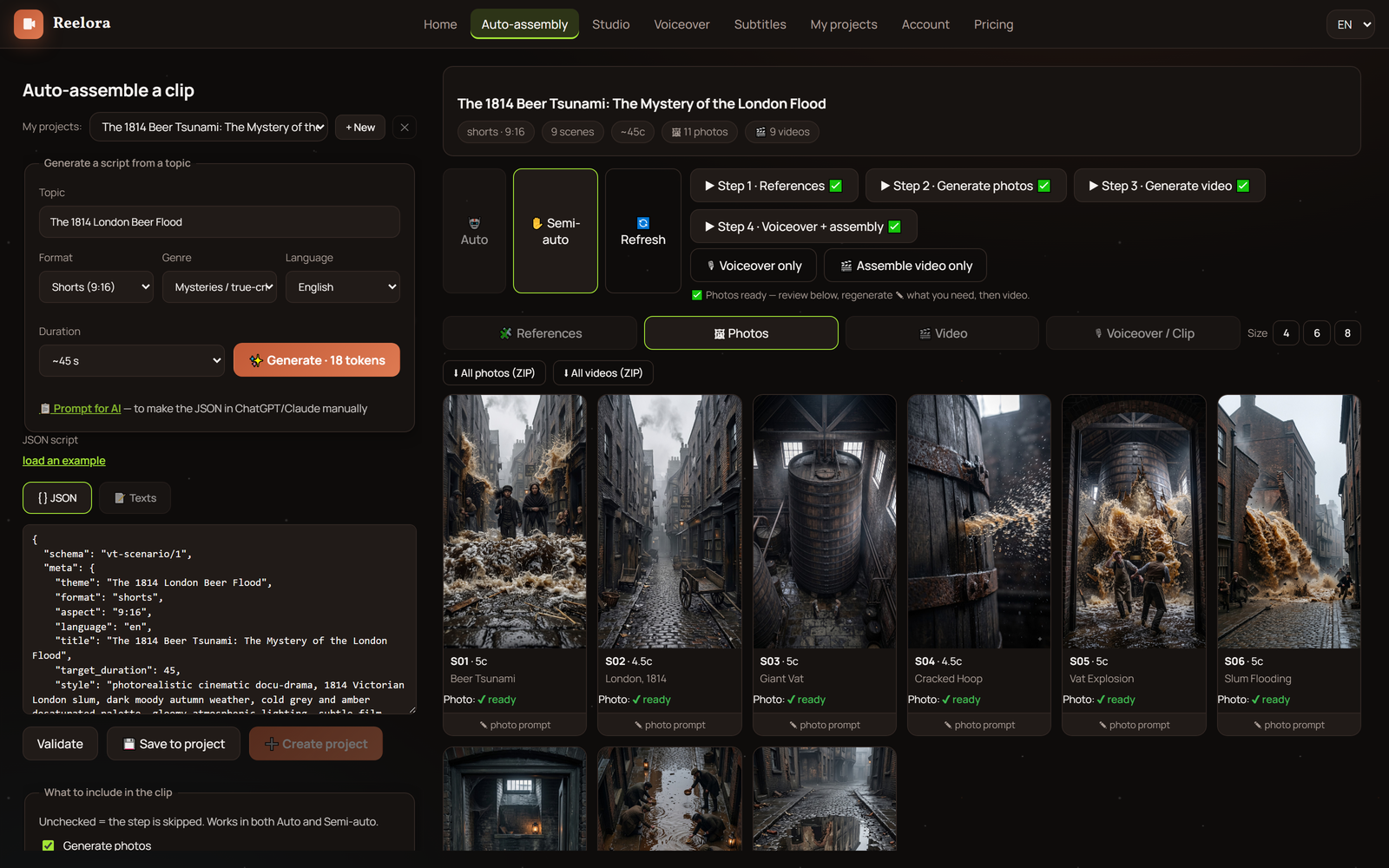
Reelora was designed as an AI video studio where generation is just one stage of the pipeline. First a skeleton of your future video appears with scenes, then the visuals get filled in, voiceover is added, subtitles are synced — and everything is assembled into a finished file. You see and edit every stage, while automation takes care of the routine.
Hence the key difference: a clip is raw material, a video is content. If you need videos regularly, manually stitching separate fragments together becomes endless work. In the studio you move from topic to published video in a single browser window — nothing to install.
What goes into a finished video
Creating a video with a neural network means getting not a pile of scattered files but a complete story. Here's what comes together in Reelora:
- Skeleton and story — the AI builds the video structure with scenes to match your topic, length and format.
- Shots — video scenes are generated by Veo 3, images and references by Nano Banana.
- Voiceover — ElevenLabs voices in many languages, including Ukrainian, synced with the scenes.
- Subtitles — automatic speech recognition, split into lines, with customizable styling.
- Editing — automatic assembly of shots to match the voiceover, rhythm and transitions between scenes.
A skeleton that works outside the studio too
The skeleton isn't a closed box. You can copy it and feed it to your own trained AI: it already knows the structure, so it will return a ready-made script you simply paste back into Reelora — and everything falls into place.
Every part of the video can be regenerated or replaced separately. That's why the result looks like it was made by a team, not by a random button.
What exactly you control
Video structure
Edit the skeleton before starting generation: change scenes, order, prompts — and only then hit run.
Every shot
Any shot can be regenerated or replaced individually, without reassembling the whole video.
Shot source
Alongside generated ones you can drop in your own photos and videos — even half the video from your own footage.
Model per task
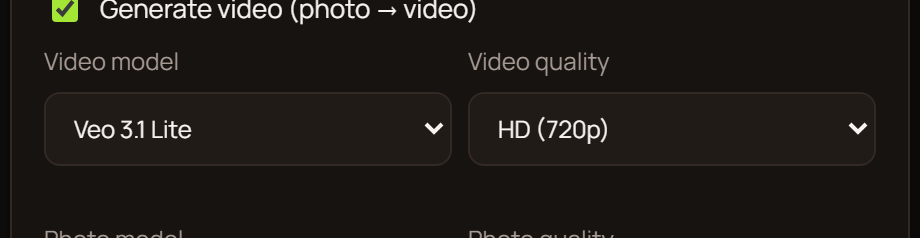
Veo 3 for video, Nano Banana for images — you pick the model yourself in the interface.
Voice and language
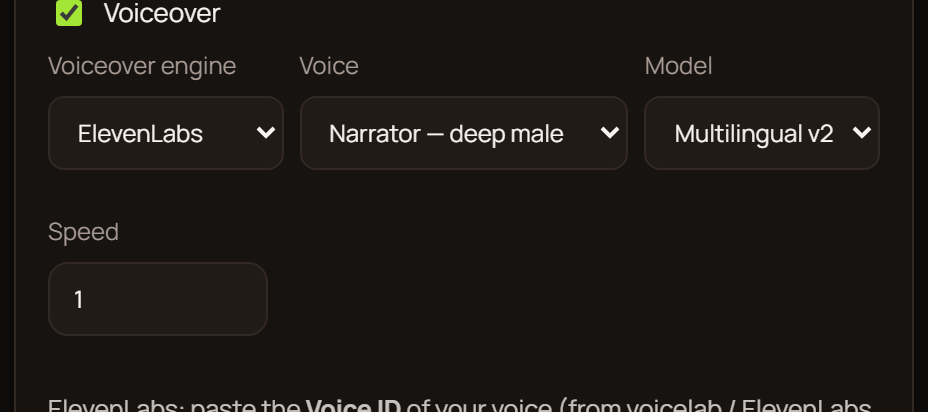
ElevenLabs voiceover supports many languages, including Ukrainian, and syncs with the scenes.
Final look
Auto-editing, subtitles and effects — or manual tweaks wherever you want more control.
Models matched to the task
In an AI video studio there's no single do-it-all model. Veo 3 handles moving scenes, Nano Banana and Nano Banana 2 / Pro handle images and references, and ElevenLabs takes care of voice. You choose the model for each action right in the interface.
This division has practical meaning: a shot that turns out poorly in the video model is often easier to draw as an image and then bring to life. And if a photo is complex and the AI refuses to animate it due to moderation, effects and overlays are layered on top, turning a static picture into video.
And let's be honest about the limits: neural networks still struggle with hands, text inside a frame, long continuous scenes and accurate physics. That's why in Reelora any shot can be regenerated or swapped for your own — the studio doesn't force you to settle for a bad result.
Pipeline: from topic to finished file
Describe the task
Set the topic, approximate length, format (long-form or Shorts) and language.
Get the skeleton
The AI builds the video structure: prompts for voiceover, references, photos and video — each in its place.
Start generation
One button launches the whole script, or go step by step and check each stage.
Fix the shots
Regenerate weak scenes, replace some with your own photos and videos.
Add the voice
ElevenLabs voiceover lays over the scenes; subtitles sync automatically.
Assemble the video
Auto-editing puts the shots together around the voiceover; if needed, the AI trims the transcript, cutting repeats and filler.
Take the result
Your finished video waits in the project — download and publish.
Batches of 500 prompts and working without your computer
When you need videos in bulk, generating them one at a time is a waste. With Reelora's batch generation you can run up to 500 prompts at once: set the tasks and shut down your computer.
Generation runs on servers, so your machine just rests, and the results will wait in the project when you come back. For those handling several clients at once, this changes the very logic of work: instead of an evening spent rendering, it's planning and reviewing finished shots. More about these scenarios on the agencies page.
Your own footage instead of generated clips
Not everything has to be generated. At any point you can add your own photos or videos in place of AI shots. If the footage is already filmed and needs to be cut to the voiceover — just swap in your own shots and hit edit.
Edits are surgical too: didn't like one shot? Regenerate just that one — the rest of the video stays untouched. There's no need to rerun everything for the sake of a single scene. This way the AI video studio saves both time and resources: you pay only for what's actually generated.
Frequently asked questions
How is Reelora different from a regular AI video generator?
A regular service spits out one short clip. Reelora is a studio: it builds the video skeleton, generates shots, adds voiceover and subtitles, then assembles everything into a finished file. On top of that, it gives you control over every shot — from regeneration to swapping in your own materials.
Which models are available?
Veo 3 for video, Nano Banana and Nano Banana 2 / Pro for images, ElevenLabs for voiceover. You pick the model yourself in the interface for each specific task.
Can I insert my own photos or videos?
Yes. Any shot can be replaced with your own material, and already-filmed video can be cut to the voiceover through editing. Generated and your own shots coexist peacefully in one video.
What if a shot turned out badly?
Regenerate it separately — there's no need to restart the whole video. If a photo is complex and the model refuses to animate it, effects and overlays will help turn the static picture into video.
Do I need to keep my computer on during generation?
No. Generation runs on Reelora servers, so after launching tasks you can shut your computer down. Results will wait in the project.
How many prompts can I run at once?
Up to 500 in batch mode. Handy for video series, multiple clients or large batches of shots.
Is Ukrainian voiceover available?
Yes, ElevenLabs supports many languages, including Ukrainian. The voiceover syncs with scenes and subtitles automatically.
How much does it cost?
It's pay-as-you-go: you only pay for what's actually generated. Prices are among the lowest on the market, including voiceover. Check the site for current pricing.
See also
Launch your first video in Reelora
Describe your topic — the studio will put together the skeleton, shots, voiceover and edit, while you stay in charge of every step. Pay-as-you-go billing: you only pay for what's actually generated.
Open the studio