Photo generation prompts: ready-made examples and templates
We've put together working photo prompts for Reelora: character reference portrait, product, landscape, illustration, cover and storyboard frame. Copy a template, plug in your details and start generating AI images without endless trial and error.
Why you need prompt templates in the first place
A good AI photo prompt isn't magic — it's structure. The Nano Banana, Nano Banana 2 and Pro models in Reelora understand specifics best: who's in the frame, what they're doing, what style it's in, what the lighting is like and where the camera is. When all these parts are in place, the result becomes predictable from the very first generation.
The templates below are built on a single formula, so they're easy to adapt. Swap the subject or the lighting — and the same skeleton gives you a completely different shot. This way you gradually build your own library of photo prompts instead of starting from a blank page every time.
If you want to dig deeper into how to build prompts from scratch and what typical mistakes to avoid, check out our prompt guide — here we jump straight into practice.
The AI photo prompt formula: subject + action + style + light + camera
Every template on this page rests on a simple five-part formula. Memorize it — and you'll be able to write a prompt for any task that isn't covered here.
Order matters too: models weigh whatever comes first more heavily. That's why the subject always goes first and technical camera details go last.
And the main iteration hack: when you regenerate a shot, change only one part of the formula. Changed the light — evaluate the result. Then changed the angle. That way you know exactly what affected the image.
- Subject — the main thing in the frame: a person, a product, a location. Describe features, age, color, materials.
- Action or state — what's happening: looking at the camera, lying on a table, walking down the street.
- Style — photorealistic, flat illustration, watercolor, comic book, cinematic.
- Light — soft window light, golden hour, dramatic side lighting, neon reflections.
- Camera — shot type (close-up, wide shot), angle (top-down, low angle), optics (85mm lens).
Photo prompts: portraits, products, landscapes
Cinematic close-up portrait of a young woman with freckles and short dark hair, looking slightly off camera, soft window light from the left, shallow depth of field, shot on 85mm lens, natural skin texture, neutral gray background.
A basic character reference. Keep the appearance description word-for-word identical across all scenes — that's how your character stays recognizable from frame to frame.
Professional corporate headshot of a man in his thirties wearing a navy blazer, confident subtle smile, blurred modern office background, soft diffused lighting, eye-level angle, realistic photography style.
For websites, presentations and profiles. Change the blazer color or the background — and you'll get several versions of the same portrait to choose from.
Black-and-white film noir portrait of a detective in a fedora hat, dramatic side lighting with deep shadows, smoke haze in the air, high contrast, 35mm film grain, moody atmosphere.
A clear example of how style and light from the formula change the mood. Same subject — a completely different picture.
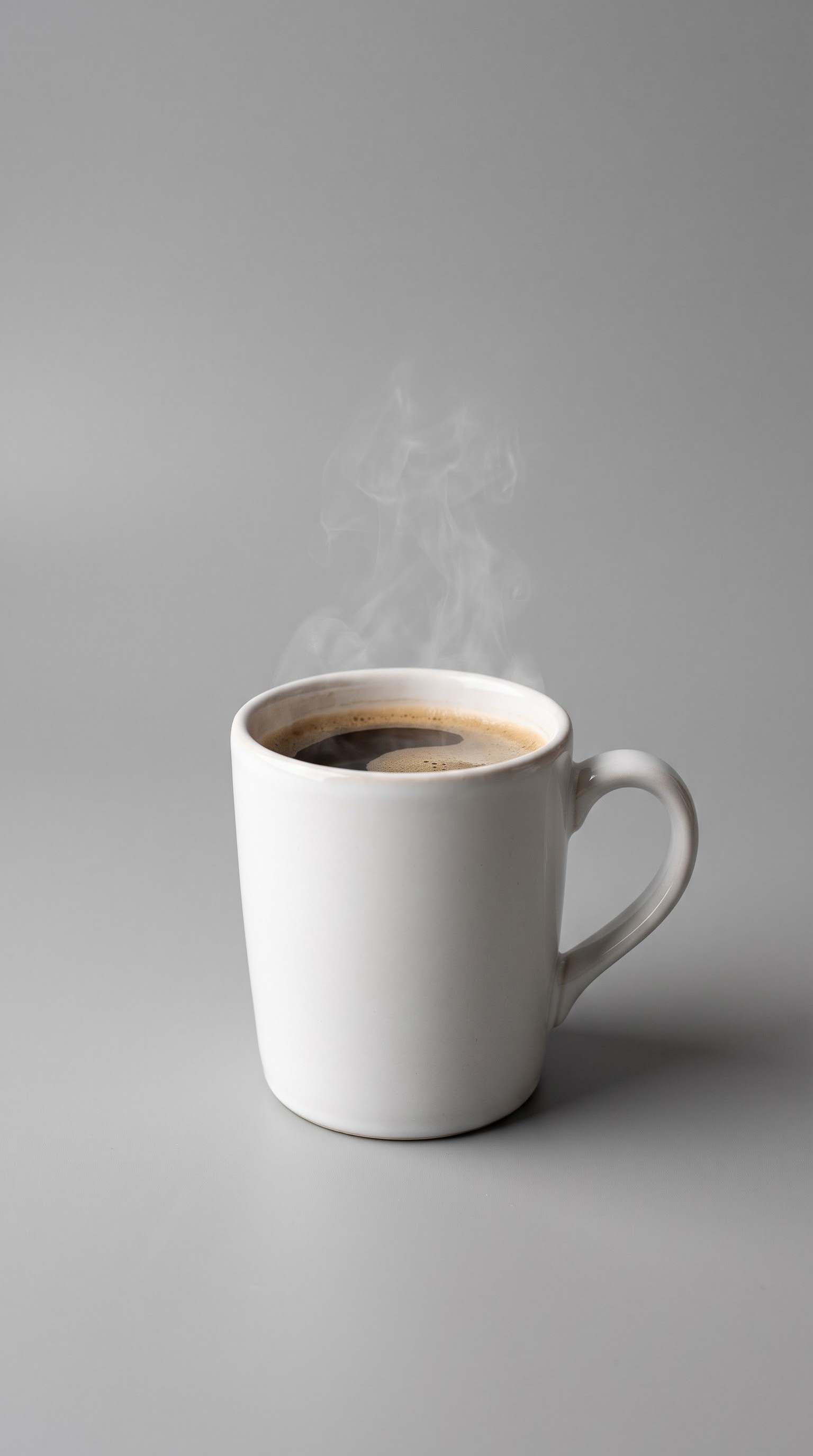
Studio product photo of a white ceramic coffee mug on a seamless light gray background, soft shadows, even lighting, centered composition, e-commerce style, sharp details.
Clean background and soft shadows are the standard for marketplaces and catalog shots. Just swap the object for your own product.
Lifestyle product shot of a skincare bottle on a bathroom counter beside green eucalyptus leaves, morning sunlight through a window, shallow depth of field, warm tones, premium feel.
A product in context sells better than on a white background. Environmental details — plants, surface, time of day — set the level of premium feel.
Flat lay composition of artisan chocolate bars, coffee beans and dried flowers on a beige linen background, top-down view, soft natural light, balanced negative space in the center.
Top-down view plus an empty center makes it easy to overlay text later in the editor, because AI still generates text inside frames unreliably.
Wide aerial view of misty mountain peaks at sunrise, golden light breaking through fog layers, layered ridges fading into the distance, cinematic color grading, ultra detailed.
Layered fog adds depth to the frame. Works great as a video opener or a background for titles.
Rainy evening street scene in a European old town, wet cobblestones reflecting colorful lights, people with umbrellas walking away from camera, moody blue-hour atmosphere, cinematic composition.
Reflections on wet cobblestones make a strong visual accent. Works both as a standalone photo and as a scene reference for video.
Serene forest lake at dawn, still water mirroring pine trees, soft pastel sky, gentle morning haze, wide establishing shot, photorealistic, calm mood.
A versatile calm composition for opening scenes. Easy to regenerate with a different time of day or season.
Prompts for illustrations, covers and storyboards
Minimal flat illustration of a person working at a desk with a laptop and a plant, limited palette of teal, coral and cream, clean vector shapes, generous white space, modern editorial style.
A limited palette is the key to a cohesive series of illustrations for a blog or social media. Change the scene, but keep the same three colors.
Watercolor illustration of a cozy village market stall with fruits and bread, loose brush strokes, soft washes of color, visible paper texture, warm afternoon light, hand-painted feel.
Paper texture and loose brush strokes give it a hand-painted character. Great for menus, greeting cards, course covers and posters.
Comic book style illustration of a superhero landing on a rooftop at night, dynamic low angle, bold ink outlines, halftone shading, dramatic purple and orange city lights behind.
Dynamic angle and bold outlines are instantly recognizable genre markers. A great option for covers and ad banners.
Square podcast cover background: abstract gradient waves in deep blue and violet, subtle grain texture, minimalist geometric shapes, no text, clean central area reserved for a title.
No text on purpose: generate a clean background and add the title in the editor. That way the letters won't warp and will stay crisp.
Video thumbnail background: excited person pointing at a glowing screen, bright saturated colors, high contrast studio lighting, expressive face, empty copy space on the right side, no text.
An emotional bright frame with room for a headline. Specify the aspect ratio in the prompt — it differs for vertical and horizontal platforms.
Editorial blog header image: hands holding a paper cup of coffee over an open notebook on a wooden table, overhead angle, soft daylight, muted warm palette, calm minimal composition.
A calm composition with breathing room — the article headline reads over a photo like this without any visual conflict.
Storyboard frame, wide establishing shot of a small coastal town at dusk, houses with lit windows along the harbor, fishing boats in calm water, cinematic framing, muted colors.
The opening frame of a scene: it sets the location and mood. Keep the color palette consistent with the following frames of the sequence.
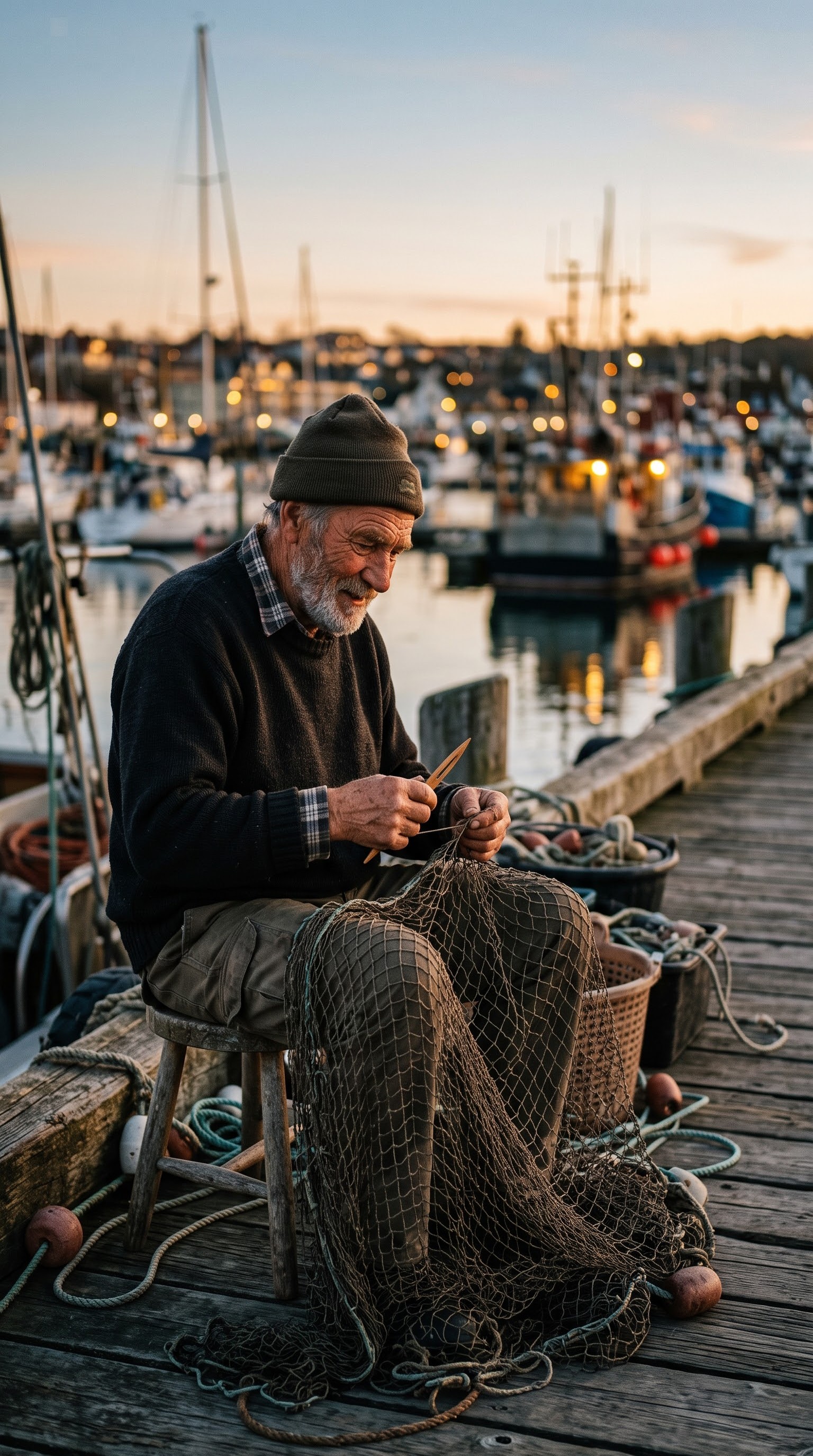
Storyboard frame, close-up of an elderly fisherman mending a net, weathered hands, focused expression, harbor bokeh in the background, soft side lighting, cinematic look.
The hero's description must match the wide shot — appearance, clothing, lighting. Then the storyboard reads as one story rather than a set of pictures.
Storyboard insert shot, detail of raindrops hitting a windowsill next to a small potted plant, shallow focus, cool blue tones with a warm lamp reflection, moody transition frame.
Insert detail shots stitch the edit together between scenes. Generate several options and pick based on the rhythm of your upcoming video.
How to use these photo prompts in Reelora
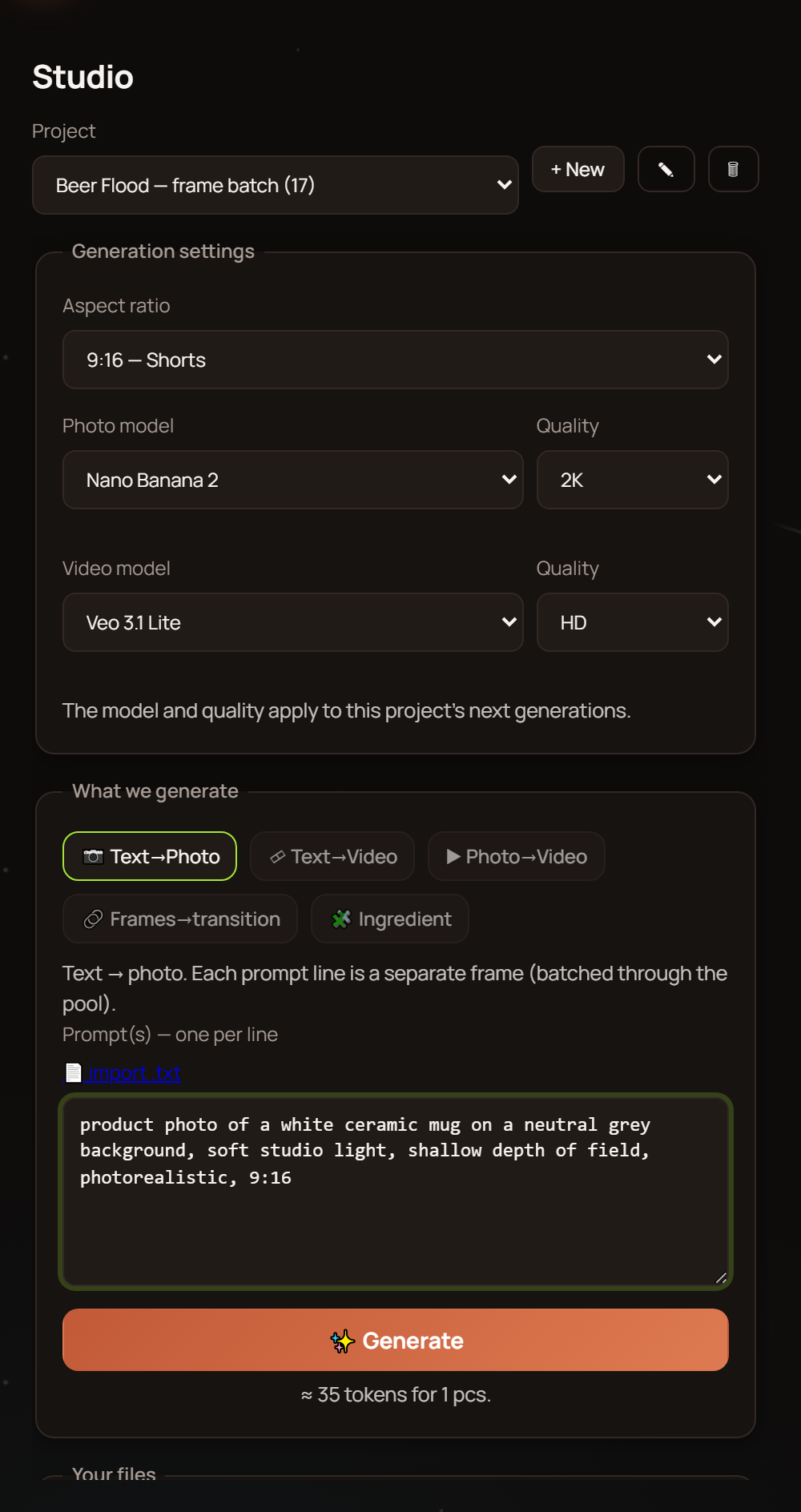
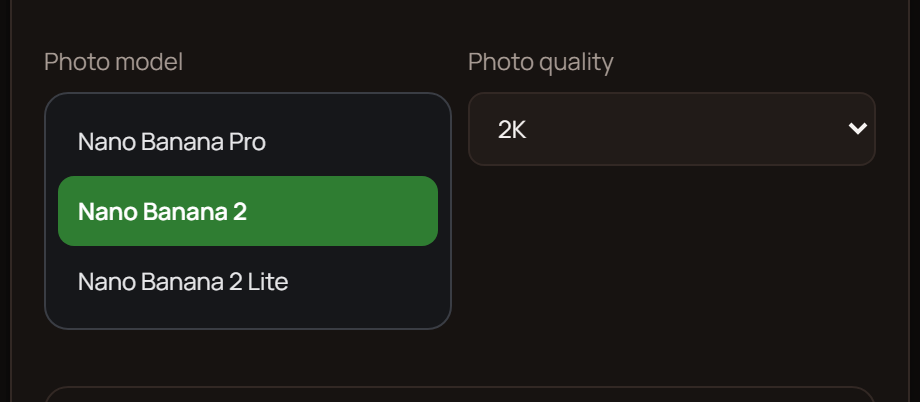
Pick an AI image generation model — Nano Banana, Nano Banana 2 or Pro — in the studio interface and paste a template into the prompt field. Didn't like the shot? Regenerate just that one without touching the rest of the project.
If you have lots of tasks, run batch generation: Reelora accepts up to 500 prompts at once. Queue up your tasks and you can shut down your computer — everything runs on servers, and the results will be waiting in your project.
Generated photos are also the foundation for video. A storyboard frame easily becomes a scene in your video, and a reference portrait helps keep your character recognizable. How it all works in motion is covered in video prompts.
Any generated photo can be replaced with your own footage, and if the AI refuses to animate a particular frame, you can simply throw effects and overlays onto it to turn the still into motion. The photo models themselves are covered in the Nano Banana for photos overview.
Questions about photo prompts
What language should I write an AI photo prompt in?
Models understand English most precisely, which is why all templates here are in English. Other languages work too, but specific phrasings like soft window light or top-down view give more consistent results. The structure itself from the formula works in any language.
Which model should I choose for AI image generation?
Reelora offers Nano Banana, Nano Banana 2 and Nano Banana Pro. For quick drafts and bulk tasks the base version is usually enough; for fine details and complex compositions go for the higher tiers. You switch models in the interface before running.
How many photos can I generate at once?
Batch generation accepts up to 500 prompts per run. Queue up your tasks and shut down your computer: everything runs on Reelora's servers, and finished frames will be waiting in your project.
Why do hands look distorted or text look weird in generated photos?
It's a known weakness of AI image generation: hands, text inside frames and precise physics are still hard for models. Simplify the pose, remove text from the prompt and add it in the editor instead, or just regenerate the frame — often the second or third try is enough.
How do I keep one character consistent across multiple photos?
Keep the appearance description word-for-word identical in every prompt and change only the action, lighting or angle. Use the first successful frame as a reference for the next ones — that's exactly how the reference portrait and storyboard sequences above work.
Can I replace a generated photo with my own?
Yes. At any point you can drop in your own photo or video instead of generated ones — for example, if part of your material is already filmed. And vice versa: any frame can be regenerated separately without rebuilding the whole video.
What if a photo won't animate into video?
Sometimes moderation or the complexity of the frame blocks animation. On such a photo you can apply effects and overlays — they'll turn the static image into a moving frame without regenerating.
How much does photo generation cost?
Reelora runs on a pay-as-you-go model: you only pay for what's actually generated. Prices are among the lowest on the market, but they change, so check the current pricing on the website.
See also
Turn a template into a finished photo
Open Reelora, paste a prompt from this page and run AI image generation. Didn't like it? Regenerate a single frame or run the whole series in batch.
Create a photo in Reelora