How to run a faceless channel on Reelora: from framework to regular episodes
A faceless channel is when viewers watch your content, not you. Reelora helps you run one without a camera, mic, or editor: from a script framework to a finished video with voiceover, subtitles, and editing.
- Faceless channels: why the format works
- One framework — a whole series of episodes
- What Reelora takes over in production
- Consistency: a content bank instead of late-night editing sessions
- Shorts from long videos: one long-form video, several posts
- B-roll that follows the story — so your videos aren't twins
- Questions about faceless channels on Reelora
Faceless channels: why the format works
Viewers honestly don't care whether the creator is on screen. What matters is value, storytelling rhythm, and visuals that don't distract. That's why faceless channels about facts, stories, rankings, explainers on complex topics, or travel seen through a drone's eye consistently pull views on YouTube, TikTok, and Reels — while their owners can live anywhere and never buy a camera or lights.
This format has just one problem: consistency. Algorithms love steady publishing, and a solo creator without a team burns out fast: script, voiceover, editing, thumbnail — then start over. AI content for your channel takes most of that routine off your plate: rough visuals, voiceover, subtitles, and initial editing can all be delegated to the machine.
What's left for you are the directorial decisions: topic, structure, shot style, and final quality control. Reelora isn't a "make me a viral video" button — it's a studio in your browser: you generate, review, regenerate weak shots, and assemble a video that matches your vision.
One framework — a whole series of episodes
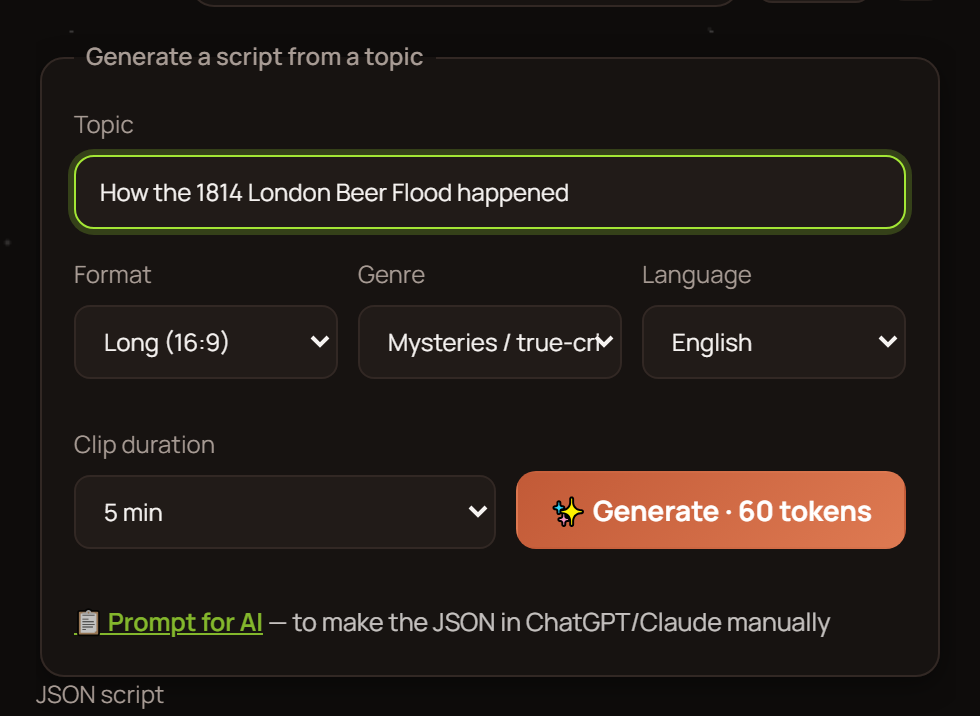
In long video mode you pick an approximate length, format (long or short), topic, and language — and the AI builds a ready-made framework for your upcoming video. Everything inside is already sorted into slots: voiceover prompts, reference prompts, photo prompts, and video prompts. Every element sits where it belongs, so you don't have to keep the structure in your head.
For a series, this is your main asset. One good framework becomes the template for your show: swap the topic, keep the style and structure — and you get the next episode viewers will instantly recognize. You can even copy the framework into your own trained AI: it already knows the format and will return a ready script you simply paste back into Reelora.
Then there are two paths: hit one button and generate everything at once, or go step by step, checking each stage. For your first episodes we recommend the second — that's how you dial in the series' style, then speed up noticeably. More about how it works in our long video mode overview.
What Reelora takes over in production
Visuals without shooting
Scenes are generated by Veo 3, images and references by Nano Banana. You pick the model for each task right in the interface.
Voiceover in Ukrainian and beyond
ElevenLabs voices in many languages, including Ukrainian. Voiceover syncs with scenes and subtitles automatically.
Subtitles with zero manual work
Your video gets transcribed, split into lines, and you style the subtitles to match your channel's look before burning them into the video.
Editing and pacing
Shots are cut to the voiceover, transitions appear between scenes. Smart trimming reads the transcript and removes flubs, repeats, and stumbles.
Scale
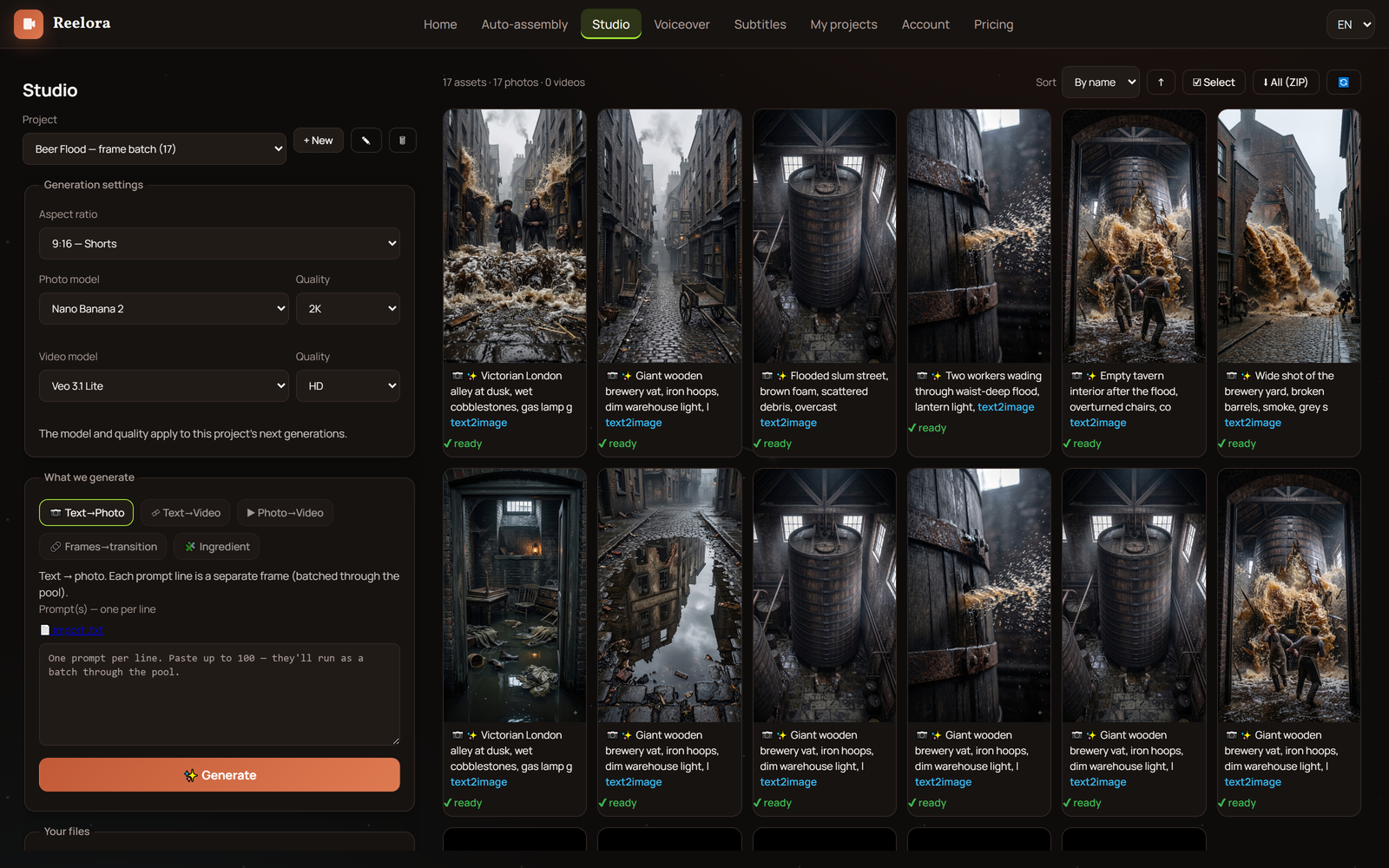
Batch generation of up to 500 prompts at once. Queue up tasks, shut down your computer: rendering happens on Reelora servers, and results will be waiting in your project.
Consistency: a content bank instead of late-night editing sessions
The simplest way to never miss an upload is to have a buffer. Launch batch generation for several scripts at once, and while the servers render, work on titles, thumbnails, or strategy. A day or two later there's a ready content bank covering the week ahead in your project — and your YouTube publishing schedule no longer depends on inspiration.
It's the same principle behind how agencies ship dozens of videos for clients: a pipeline where machines handle the routine and humans control quality. The only difference is scale — you have one channel, but it's yours. How mass generation works is covered in our batch generation guide.
Shorts from long videos: one long-form video, several posts
A long video isn't all your content. Cut the strongest moments into vertical shorts: they bring in new audiences who then come back for full episodes. You can set the format at the framework stage, or generate shorts separately for a specific platform.
The practical workflow is simple: publish a long video, then break it down into two or three shorts with auto-subtitles the same week. One idea becomes videos for YouTube, Shorts, TikTok, and Reels without separate production. The step-by-step process is described in our shorts guide.
B-roll that follows the story — so your videos aren't twins
The backbone of a faceless video is a voice telling the story and b-roll showing it. While the voiceover drives the plot, supporting scenes change on screen: details, atmosphere, illustrations of what's being said. In Reelora each such shot is generated separately, so you can regenerate or replace a bad one without touching the rest of the video.
To keep the series from looking like copies of one video, mix up techniques: change prompt styles between episodes, vary angles and palettes, add your own photos or footage instead of generated ones. If the AI refuses to animate some static photo — throw effects and overlays on it, and it turns into a moving shot.
And being honest about the limits: AI still struggles with hands, on-screen text, long continuous shots, and accurate physics. Build scenes so these aren't the focus, and simply regenerate any questionable shot — in the studio that's faster than relocating to a new location.
Questions about faceless channels on Reelora
Can I run a channel with no camera and no voice recording at all?
Yes. Visuals come from Veo 3 and Nano Banana, voiceover from ElevenLabs voices, including Ukrainian ones. No camera, mic, or studio needed: everything happens in the browser.
How many videos per week can I realistically publish?
As many as you can keep up with — editing won't be the bottleneck. Batch generation lets you queue up to 500 prompts at once and collect finished results whenever convenient. Many creators build a content bank one to two weeks ahead this way.
Won't episodes in my series look the same?
Not unless you want them to. Vary styles and angles in prompts, alternate generated shots with your own material, regenerate whatever gets stale. The framework sets the structure, but every shot within it is under your control.
What if the AI generates a bad shot?
Regenerate just that shot — no need to rebuild the whole video. Any shot can be replaced with your own photo or footage, and a "lifeless" photo can be brought to life with effects and overlays.
Does this work for vertical platforms?
Yes. You choose long or short format when creating the framework, so you can generate straight for TikTok, Shorts, or Reels — or cut shorts from a finished long video.
How much does it cost to run a channel on Reelora?
Pricing is pay-as-you-go: you only pay for what's actually generated. Prices are among the lowest on the market, including ElevenLabs voiceover. Check current numbers on the pricing page — they're always fresh there.
See also
Your first episode is closer than it seems
Describe your next video's topic — Reelora builds the framework, and the rest is up to you: generation, shot edits, voiceover, and editing in one window. Regular AI content for your channel is a matter of habit, not heroic all-nighters.
Create your first video