FAQ: AI video generation questions at Reelora
We've gathered straight answers to the most common questions about AI video generation in Reelora: models, your own footage, voiceover, editing, pricing. Find yours — or read it all in ten minutes.
What this FAQ covers
This AI video FAQ collects the video generation questions people ask most often: which models are available, whether you can upload your own footage, how voiceover, editing and billing work. The list runs from simple to specific — read it top to bottom or jump straight to your question.
A quick word about the service itself. Reelora is an online studio for AI-powered video and photo generation that works right in your browser. The core idea: you get not a single clip but a finished video — with a storyline, voiceover, subtitles and editing. If you want a broader look at what's possible first, start with the AI video generator overview, then come back here for specifics.
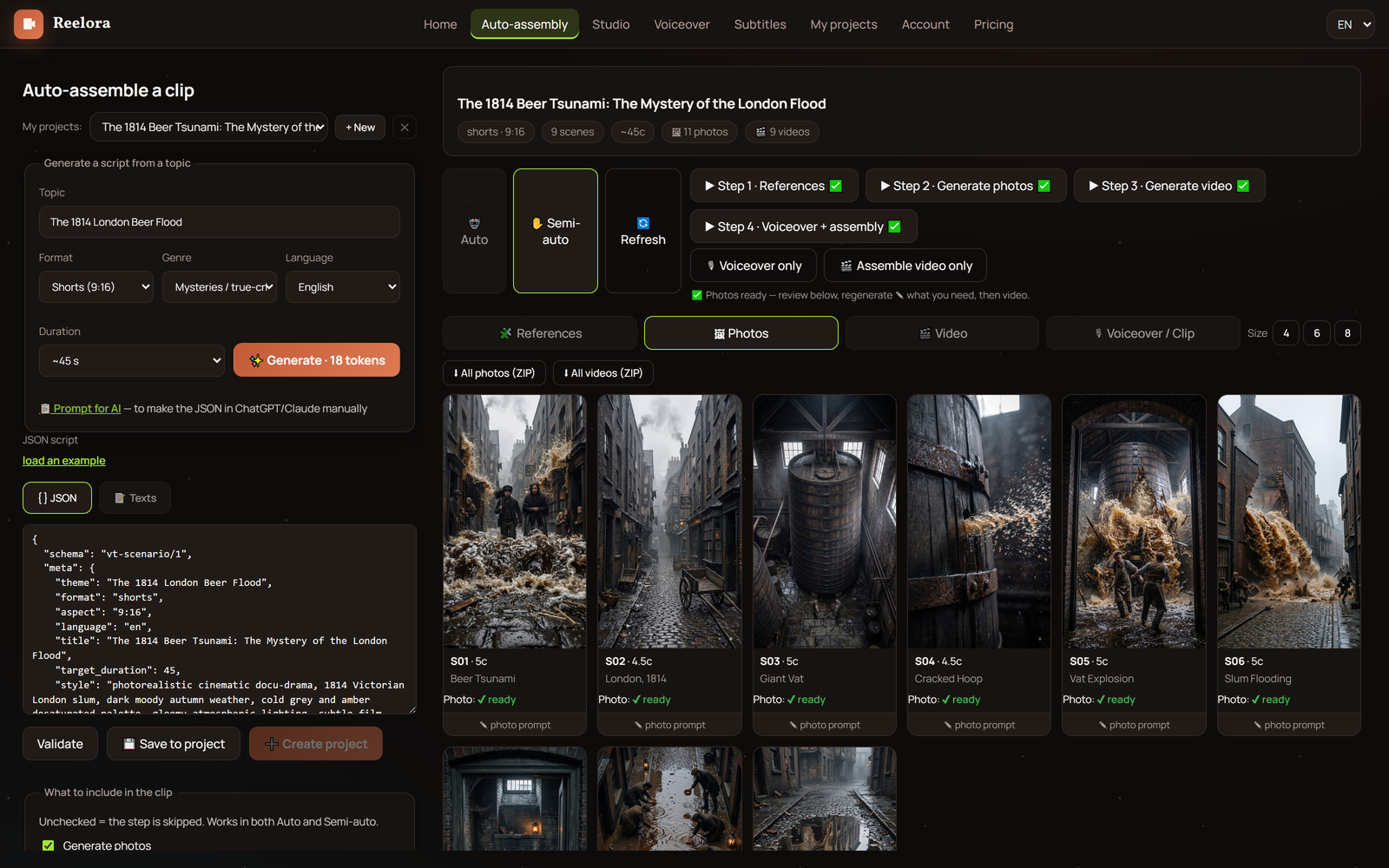
Reelora in thirty seconds
Reelora is a studio, not a one-button machine. AI takes over the routine, but the final word always stays with you: any shot can be regenerated, replaced with your own footage or removed from the video altogether. That's exactly why the service clicks with people who need content on a steady stream, not one-off.
- Up to 500 prompts in batch generation per single run
- AI builds the skeleton of your future video by itself: prompts for voiceover, references, photos and video — each in its place
- Voiceover with ElevenLabs voices in many languages, including Ukrainian
- Automatic subtitles and shot editing synced to the voiceover
- Your own photos and videos can be added at any point
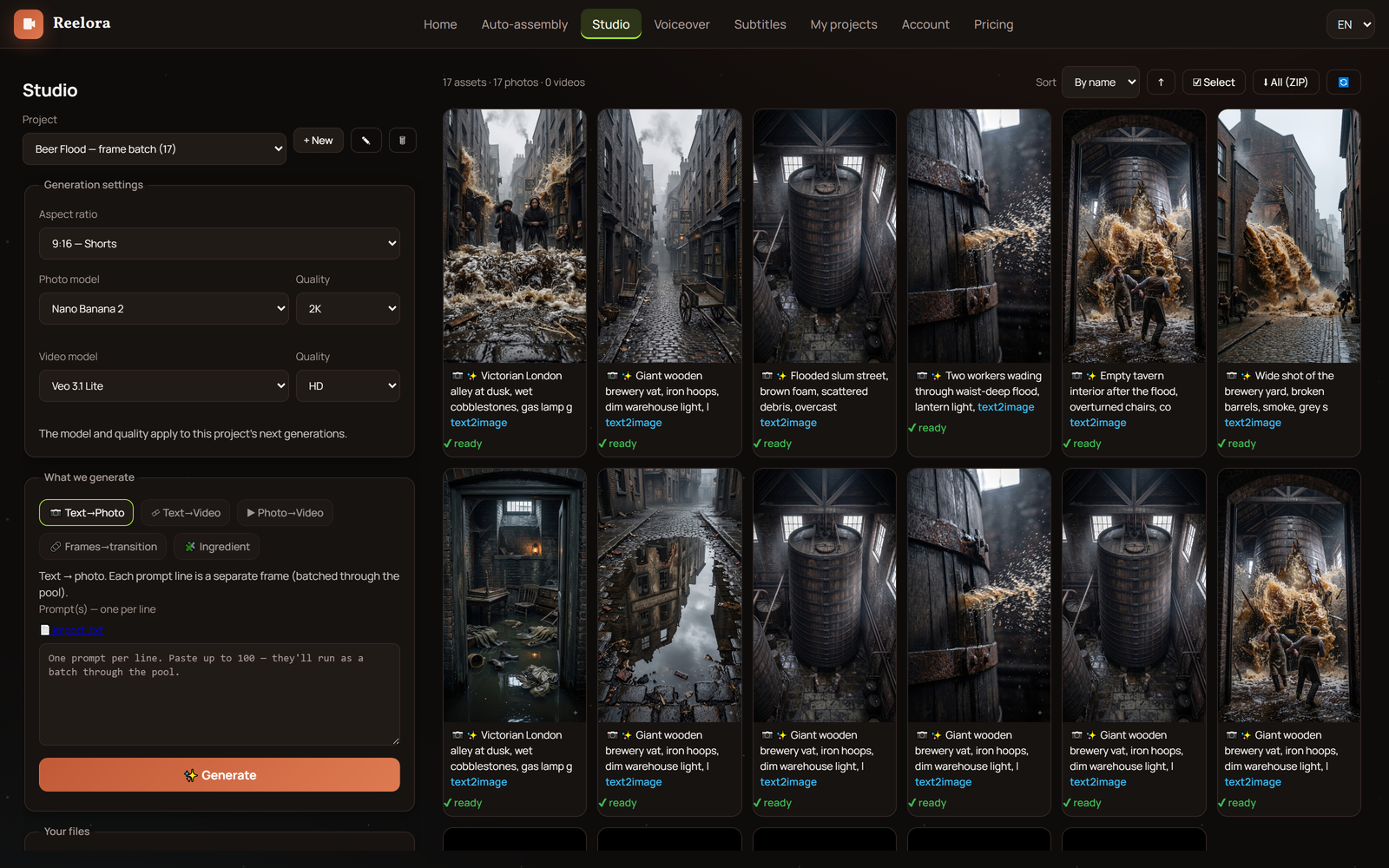
Questions about Reelora and AI video generation
What is Reelora?
An online studio for AI-powered video and photo generation. It works right in your browser — nothing to install. This isn't 'press a button and get a video': you generate shots, regenerate the ones that miss, drop in your own footage and assemble everything into a finished video with voiceover, subtitles and editing.
Which AI models are available in Reelora?
For video — Veo 3.1 and Omni Flash from Google, Kling from Kuaishou, Seedance from ByteDance and Grok from xAI. For images — Nano Banana, GPT Image 2 and Grok Image. Voiceover is handled by ElevenLabs. You pick the right model for the task yourself in the interface, and we've collected a comparison of all models on the AI video models page.
Can you generate not just videos but photos too?
Yes. Photos are generated by Nano Banana, GPT Image 2 and Grok Image — you can use them standalone or as references and frames inside a video. And if a still image needs to come alive, you can turn it into video.
Can I upload my own photos and videos?
Yes, at any time. You can swap a generated shot for your own — and vice versa. If part of your footage is already shot on camera, just replace the shots with yours and run the edit: Reelora will sync everything to the voiceover. More details in the section on working with your own footage.
How many prompts can you run at once?
In batch generation — up to 500 prompts simultaneously. You put together a list of tasks, hit run, and the studio processes them on its servers. Handy when you need lots of videos on a regular basis.
Can I turn off my computer during generation?
You can — and even should, if there's a lot queued up. Generation doesn't run on your device but on Reelora's servers, so your computer stays free. When you come back, the results will be waiting in your project.
How does the long video and shorts mode work?
You set the parameters: approximate length, format (long or short), topic, language. Then AI builds a ready-made skeleton of your future video — it already contains prompts for voiceover, references, photos and video, each in its place. From there, two paths: launch generation of the whole script with one button, or go through the stages one by one, checking and tweaking each.
What's better — a long video or shorts?
It depends on the task. Long videos work well for YouTube and educational content; vertical shorts are made for Shorts, TikTok and Reels. In Reelora the format is set at the very start, and after that the logic is the same: skeleton, generation, editing. We compare both formats in more detail in our piece on long video mode.
Can I transfer the skeleton to my own AI assistant?
Yes. The prompt skeleton copies in one move — and your trained AI already knows the structure, so it will return a finished script in the right format. Just paste it back into Reelora and everything falls into place.
Which languages can videos be voiced in?
Voiceover is built on ElevenLabs voices — there are many languages, Ukrainian among them. The voice is synced with scenes and subtitles, so lines never drift out of step with the picture. You pick the language at the skeleton stage.
Are there automatic subtitles?
Yes. The studio recognizes speech on its own, splits the text into lines and embeds subtitles into the video. Subtitle styling can be adjusted to match your video's look, so everything appears neat on your platform.
Do I need editing skills?
No. Assembly is automatic: shots are fitted to the voiceover, rhythm is kept consistent, transitions appear between scenes. You won't have to cut anything by hand — but you control the final result and can tweak it however you like.
What is smart trimming?
An editing feature for when you have too much footage. AI reads the transcript and removes flubs, repeats, stumbles and filler — rather than just cutting silence. The result is a shorter video with the meaning fully preserved.
What if a shot turns out badly?
Regenerate just that one. Any shot in the video can be regenerated or replaced individually without touching the rest. That's the key difference between the studio and simple generators, where one bad clip means starting all over.
What if the AI refuses to animate my photo?
That happens sometimes: moderation or an overly complex shot can block animation. The fix is simple — add effects and overlays to the photo. They'll turn a static image into a full-fledged video without motion generation.
Where is AI video generation still weak?
To be honest: hands and small movements, text inside the frame, long continuous scenes and accurate physics are harder for models than other things. That's why Reelora is built around control: regenerate a questionable shot right away, and add captions via subtitles and overlays instead.
How much does video generation cost in Reelora?
Pricing is pay-as-you-go: you only pay for what's actually generated. Prices are among the lowest on the market, including ElevenLabs voiceover. We deliberately don't quote exact figures here: they change, so check the current pricing on the website.
Can generated videos be used commercially?
The videos are made to be used: publishing on channels, promo, client work. As for legal fine print — rules vary by country and can change, so before a serious commercial project, check the service's current terms of use.
Do I need to install anything?
No. Reelora works in the browser on an ordinary computer — no apps, plugins or a powerful GPU required. Servers handle the heavy computing; all you need is internet.
Who is Reelora for?
For agencies producing dozens of videos a month for several clients. For channel owners — including faceless channels, where series of videos are built off one skeleton. For businesses making promo and training videos. And for editors and creators who already have part of their footage shot and need the rest generated and quickly assembled.
Where should a beginner start?
Easiest way — follow the step-by-step guide to creating an AI video: from your first prompt to a finished video. After that just open the studio, pick a model and generate your first shot — the rest becomes clear through practice.
See also
Still have questions? Test it in practice
The best answer to most video generation questions is trying it yourself. Open the studio, pick a model, describe a scene — and see the result in minutes. You only pay for what's actually generated, so experiment freely.
Create your first video